Windows 11 呢層安全防護會拖慢遊戲?關之前要睇清楚代價
VBS 有用,但唔係每部 gaming PC 都要長開
呢件事其實講緊咩
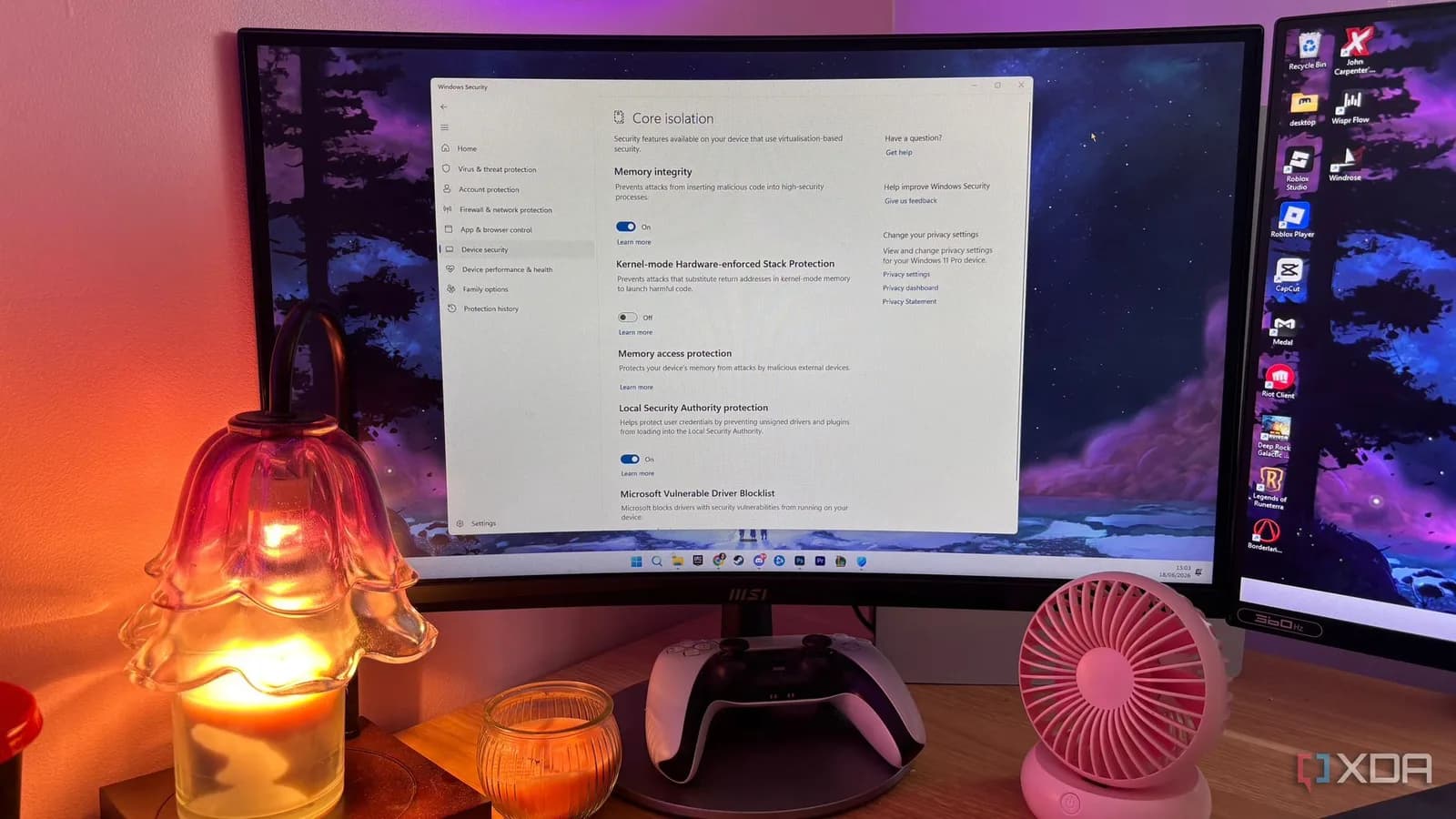
XDA 今次講嘅 Windows 11「隱藏安全層」,指向 Core isolation、Memory integrity 同背後嘅 VBS。Microsoft 官方講明,符合條件嘅 Windows 11 clean install 會預設開 Memory integrity,Secured-core PC 亦會預設開。呢件事值得講,因為好多玩家砌好機、裝好 Steam 同 Game Pass PC,見平均 FPS 好靚,但轉鏡、入城、開新地圖嗰下突然窒,第一時間通常鬧 GPU、driver 或遊戲 update,未必會諗到 Windows 安全層都有份。
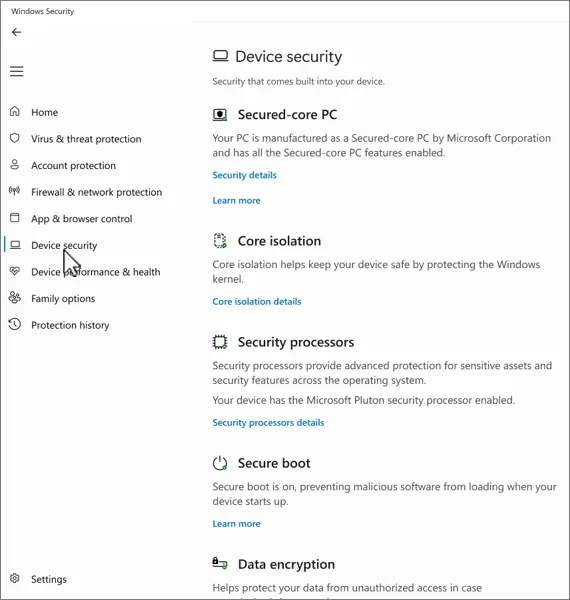
圖片:Microsoft Support
VBS 做緊咩
VBS 唔係簡單防毒掃描。佢用硬件 virtualization 同 Windows hypervisor,開一個隔離環境去擺部分核心安全工作;Memory integrity / HVCI 就係喺入面檢查 kernel-mode driver 同 code,擋低未簽名或者唔可信嘅低層驅動。呢套嘢對網安有真作用,特別係工作機、公司 laptop、長期處理客戶資料或者裝好多外置硬件嘅人。代價就係,遊戲同 GPU driver、音效、輸入裝置之間嘅低延遲溝通,多咗一層檢查,喺某啲 CPU-bound 場景會反映喺 frame time 上。
數字要睇清楚
最容易誤會嘅位係:平均 FPS 冇跌,體感都可以差咗。Tom's Hardware 2023 年用 RTX 4090 同 Core i9-13900K 做過 VBS 開關測試,佢哋見到平均差距大約 5%,部分遊戲去到接近 10%,1% low 最高升過 15%;同一篇亦提醒,普通啲嘅硬件好多時只係低個位數百分比。換句話講,呢個唔係「免費多一張新顯示卡」級數,但如果你玩 Microsoft Flight Simulator、Cyberpunk、Starfield 呢類食 CPU 同 streaming 嘅大作,或者 laptop 長期貼住功耗牆,一窒一窒會煩過平均 FPS 數字好多。
Benchmark 同你部機未必係同一回事
另一個背景係,benchmark 結果唔一定可以直接套落你部機。TechSpot 2026 年初做 Windows 11 25H2 對 Windows 10 遊戲測試,為咗減少干擾,特登關咗防毒掃描、VBS、Memory integrity、Core isolation,連 BIOS virtualization 都關埋;結果 Windows 11 平均仲快 4 至 5%。所以唔好見到「Windows 11 拖慢遊戲」就一刀切。要問清楚嘅係:你而家見到嘅 stutter,係遊戲 shader cache、driver、散熱、背景 app,定係安全功能加入嘅額外 latency。
邊啲人值得試
咩人值得試?我會限得好窄:主力打機 desktop、冇公司帳戶同客戶檔案、唔亂裝來源唔明 EXE、平時只喺 Steam、Epic、Game Pass 裝 game,而且已經排除咗散熱、driver、VRR、overlay、背景錄影嗰堆常見問題。呢類機可以當一次 A/B test,關 Memory integrity 玩同一段場景,開 CapFrameX 或遊戲內 frame time graph 睇 1% low 同 frametime spike,有改善先保留,冇改善就即刻開返。
邊啲人唔好郁
咩人唔應該郁?工作 laptop、學校機、公司管住嘅電腦、裝住 BitLocker / 裝置加密、放住客戶素材、金融 app、crypto wallet,或者屋企幾個人共用同會下載 mod、trainer、破解版工具嘅機。Memory integrity 擋嘅係 kernel 層面嘅攻擊路線,唔係普通提醒 pop-up。你每關少一層保護,風險唔會即刻爆出嚟,但有事嗰陣通常已經太遲。
改之前先留底
真係要試,改之前先記低現況。影低 Windows Security > Device security > Core isolation details 入面 Memory integrity 開定關;Win + R 開 msinfo32,喺 System Summary 底部睇 Virtualization-based Security 同 Services Running;如果有 BitLocker 或者裝置加密,先搵返 recovery key。呢啲唔係儀式感,係方便你改完知道自己到底郁過咩,同埋出事可以原路返去。
點關同點開返
做法唔複雜:Start 搜 Core isolation,入 Windows Security 嘅 Core isolation details,Memory integrity 撥去 Off,批 UAC,restart。開返都係同一條路,撥返 On 再 restart;如果 Windows 話有 incompatible driver,就先 update 或者移除嗰個 driver,唔好硬上。另提一句,關 Memory integrity 唔等於 VBS 一定全熄,Hyper-V、VMP、Credential Guard、Windows Hello 相關保護都可能令 hypervisor 繼續行;見到 msinfo32 仲有 VBS running,就唔好為咗追數字亂關一串你唔識嘅功能。
我會點做
我嘅取態好簡單:呢個可以攞嚟做一次測試,但唔應該當成長期優化第一步。主力打機機、追 1% low、又清楚自己下載習慣嘅人,可以試;工作機、創作機、laptop、同任何放住敏感資料嘅機,留住 Memory integrity 會穩陣啲。開關只係幾十秒,麻煩位係你三個月後唔記得自己曾經關過,然後為咗一晚少窒兩下,長期少咗一層低層保護。
延伸閱讀
參考來源
- XDA Developers — Your gaming PC gets throttled by Windows 11's hidden security layer, and disabling it takes 30 seconds — original report
- Memory integrity enablement | Microsoft Learn — 核對 Windows 11 clean install、Secured-core PC 同符合條件硬件嘅預設狀態。
- Virtualization-based Security (VBS) | Microsoft Learn — 核對 VBS 同 Memory integrity / HVCI 嘅官方定義同安全作用。
- Enable memory integrity | Microsoft Learn — 核對 Windows Security 入面 Memory integrity 嘅位置、警告同 msinfo32 檢查方式。
- Device Security in the Windows Security App | Microsoft Support — 核對 Device security / Core isolation / Memory integrity 用戶介面同官方解釋。
- Tested: Default Windows VBS Setting Slows Games Up to 10%, Even on RTX 4090 | Tom's Hardware — 提供可查 benchmark 數字,避免淨係跟 XDA 個別講法。
- Windows 11 25H2 vs Windows 10: Which is Faster for Gaming? | TechSpot — 補 2026 Windows 11 vs Windows 10 遊戲測試背景,睇 benchmark 點樣處理 VBS 干擾。
本文根據原文及公開資料整理;資料有出入時,以原文及官方資料為準。