想避 Gmail 廣告同 Gemini?轉 Proton Mail 前先計清成本
Gmail 地址搬得走,但 inbox 規矩要重砌
Proton Mail 變吸引,係因為 Gmail 變重咗
Gmail 而家唔止用嚟收信,廣告同 Gemini 功能都會入到 inbox。公平講,Google 官方講 Gmail 廣告唔會掃你封信嚟投放;至於 Workspace 服務入面嘅 Gemini,官方就話未得許可唔會用 Workspace 內容訓練底層模型。不過好多用家介意嘅已經唔止係條款:日日見到 sponsored email、AI 摘要同寫信提示,個 inbox 會愈來愈似 Google 推功能嘅地方。Proton Mail 呢刻吸引,正正係因為佢賣嘅係乾淨同私隱。
圖片:Proton
Gmail 地址搬得走,包袱都跟住走
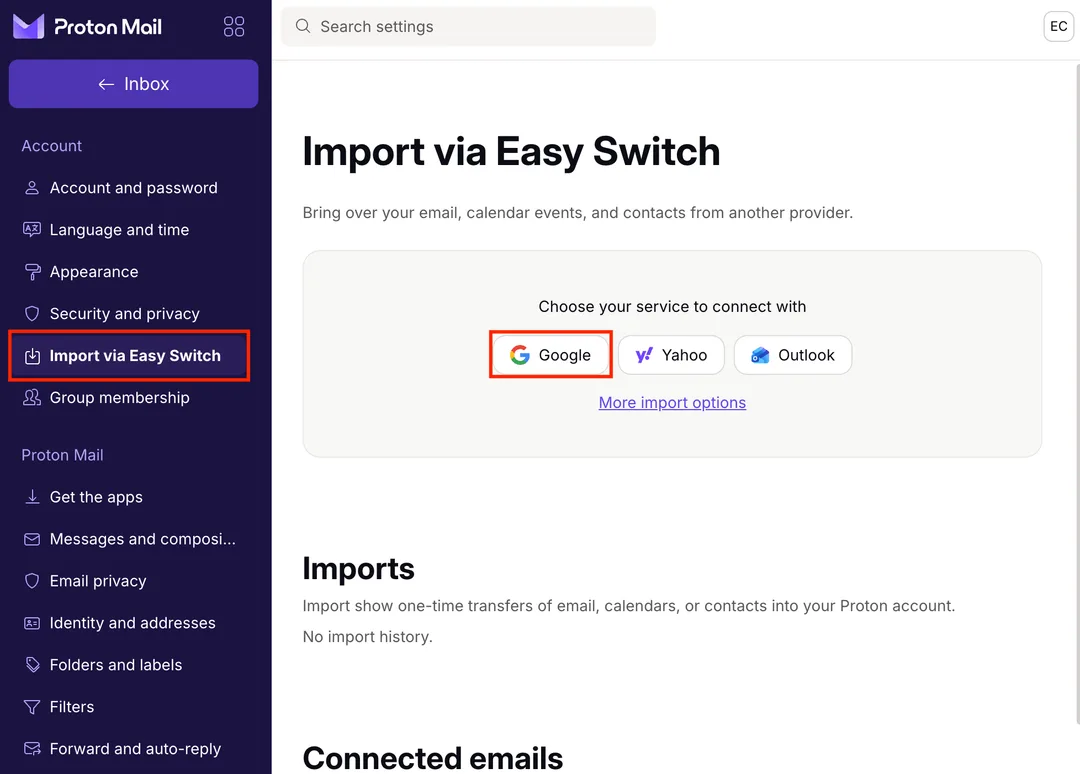
Android Authority 作者 Megan Ellis 試咗一星期,重點唔係 Proton 收唔收到 Gmail,重點係收到之後點整理。Proton 官方 Easy Switch 可以匯入 Gmail email、calendar、contacts,亦可以 connect Gmail,喺 Proton 入面收 Gmail 同用原本 Gmail 地址寄信。官方仲講,預設會匯入最近嘅 Gmail,最多用到 Proton 可用空間嘅 80%,留返位畀新信。原文提到佢 Gmail 已用 7.3GB,Proton 免費帳戶匯到約 800MB 就停低,呢個比較似免費空間細之下嘅保護欄,唔好當成匯入工具壞咗。
圖片:Proton
免費 plan 好快頂住
Proton Free 官方寫明,Mail storage 由 500MB 起,做完指定 get started actions 可加到 1GB;每日寄信上限 150 封。整理方面,免費帳戶最多三個 folder、三個 label;filter 可以建立多個,但同一時間只得一個 active。Mail Plus 先有 15GB、10 個 email 地址、無限 folder/label/filter、custom domain 同 Bridge 等功能。對用開 Gmail 15GB、又十幾年冇清 inbox 嘅人,呢個落差好現實:你其實係由一個免費大倉,搬去一個細好多、好多整理工具要付費先順手嘅 inbox。
Gmail 其實幫你分流咗好多雜訊
原文最值得睇嘅位,係 Gmail 平時代你做咗幾多分流。Megan Ellis 用開 Gmail 嘅 Primary、Promotions、Social、Updates 分頁,newsletter 同宣傳信大多數自己走咗去旁邊;轉到 Proton 後,呢批信一齊入主 inbox,手機通知自然爆。佢話噪音多到 miss 咗 appointment reminder。呢個唔代表 Proton 收信差,只係 Gmail 多年用機器學習幫你隔走雜訊,平時你未必覺得自己依賴咗佢。避到廣告之後,分流同整理就要自己重砌。
Thread 同搜尋係另一個成本
原文仲提到 Proton conversation grouping 同 Gmail 唔同:同 sender、同 subject 嘅信,隔幾個月都可能夾成一條 thread;關咗 conversation grouping 又變成全無 thread。呢類細節對網購、銀行通知、政府表格、學校 email、工作 ticket 都幾麻煩,因為你追嘅通常係某一單 order 或某一個 case,唔係一堆同標題 email。搜尋都要適應:Proton 官方做法係喺 web app 啟用內容搜尋後,email 會下載、解密,跟住用加密 index 留喺本機。私隱上講得通,但大 mailbox 會食瀏覽器空間同時間。
想轉,唔好一炮過搬晒
如果你真係想避開 Gmail 廣告同 Gemini 提示,最穩陣嘅路線係先 connect Gmail 收發,試清楚通知、filter、search 同手機 app,再決定匯幾多舊信。Proton 官方其實有講,可以做完推薦 setup 後 undo import,保留 Gmail-to-Proton connection,等你有個乾淨 inbox,又照收到 Gmail 新信。免費帳戶只可 connect 一個 Gmail,付費最多三個;用幾個 Gmail 分開工作、購物同私人信嘅人,要先計呢條數。
喺香港,Gmail 往往連住銀行、八達通、網上購物、政府服務、學校同公司通知,轉 email 唔係按個制就完。比較貼地做法係先改高風險帳戶,例如銀行、主要購物平台、Apple ID、Google recovery、保險同醫療服務;舊 Gmail 留嚟接 long tail 通知同 reset 密碼。等兩三個月之後,睇吓仲有咩重要服務寄去 Gmail,再慢慢收窄。咁做慢啲,但少好多漏信風險。
私隱換便利,呢次真係要計數
Proton Mail 嘅方向好清楚:冇 Gmail inbox 廣告、私隱設計強過傳統免費 webmail,官方亦講 zero-access encryption 令 Proton 讀唔到你儲存喺 server 上嘅 email 內容。但如果你每日靠 Gmail 分頁、強搜尋、auto filter 同 thread 規則過日子,轉去 Proton 會即刻感到摩擦。用 Proton 當新主地址或者乾淨副 inbox,對私隱敏感嘅人幾合理;要全搬多年 Gmail 歷史,就預咗付費、清舊信、重砌 filter,仲要留時間觀察有冇漏咗重要通知。
延伸閱讀
參考來源
- Android Authority — I tried switching from Gmail to Proton Mail for a week — and my inbox was a disaster — original report
- How to migrate from Gmail to Proton Mail | Proton — 核實 Easy Switch 可匯入 Gmail data、connect Gmail 收發、預設用到 80% Proton storage、免費/付費 Gmail connection 數量。
- Proton plans explained | Proton — 核實 Proton Free storage、每日寄信上限、Mail Plus storage、地址同功能差異。
- Folders and labels | Proton — 核實免費 folders/labels 上限、付費無限 folders/labels,同 folder 通知設定。
- How to use email filters | Proton — 核實免費帳戶同一時間只得一個 active filter,付費最高 250 個 active filters。
- How to search your Proton Mail messages | Proton — 核實 Proton 內容搜尋要喺本機建立加密 index,同搜尋範圍限制。
- How Gmail ads work | Google Help — 核實 Gmail 廣告官方講法,包括唔掃 Gmail 內容投放廣告、關 personalization 後都可能見到 ads。
- Learn how Gemini in Gmail protects your data | Google Help — 核實 Google 對 Workspace Gemini data、訓練同 ads targeting 嘅官方講法。
本文根據原文及公開資料整理;資料有出入時,以原文及官方資料為準。