Pixel 變磚未必即刻拎去整:兩個 Google 官方救機工具點用
刷機同更新修復分工唔同,清資料風險要先知
Pixel 卡 bootloop,先唔好急住當死機
Android Authority 今次提返一件 Pixel 用家好應該 bookmark 嘅事:Pixel 更新出事、開機卡喺 Google logo、甚至 beta 玩到 bootloop,未必一開波就要拎去維修。Google 自己有兩個網上救機工具,分別係 Android Flash Tool 同 Pixel Update and Software Repair Tool。呢篇講法建基於原文同 Google 官方文件,唔當係 TechLab 成功救機案例。
香港水貨 Pixel 用家會特別有感,因為 Google Store 支援頁列出嘅 Pixel 10、Pixel 9 系列可買地區冇香港,官方 Pixel 維修頁嘅 mail-in 同 walk-in 地區清單亦冇香港。即係話,部機真係更新炒車,網上官方工具好多時會係拎去第三方維修前最乾淨嘅第一步;但工具幫唔幫到,仍然要睇部機卡喺邊個狀態。
圖片:Google
Android Flash Tool:啱 beta 同熟手用家多啲
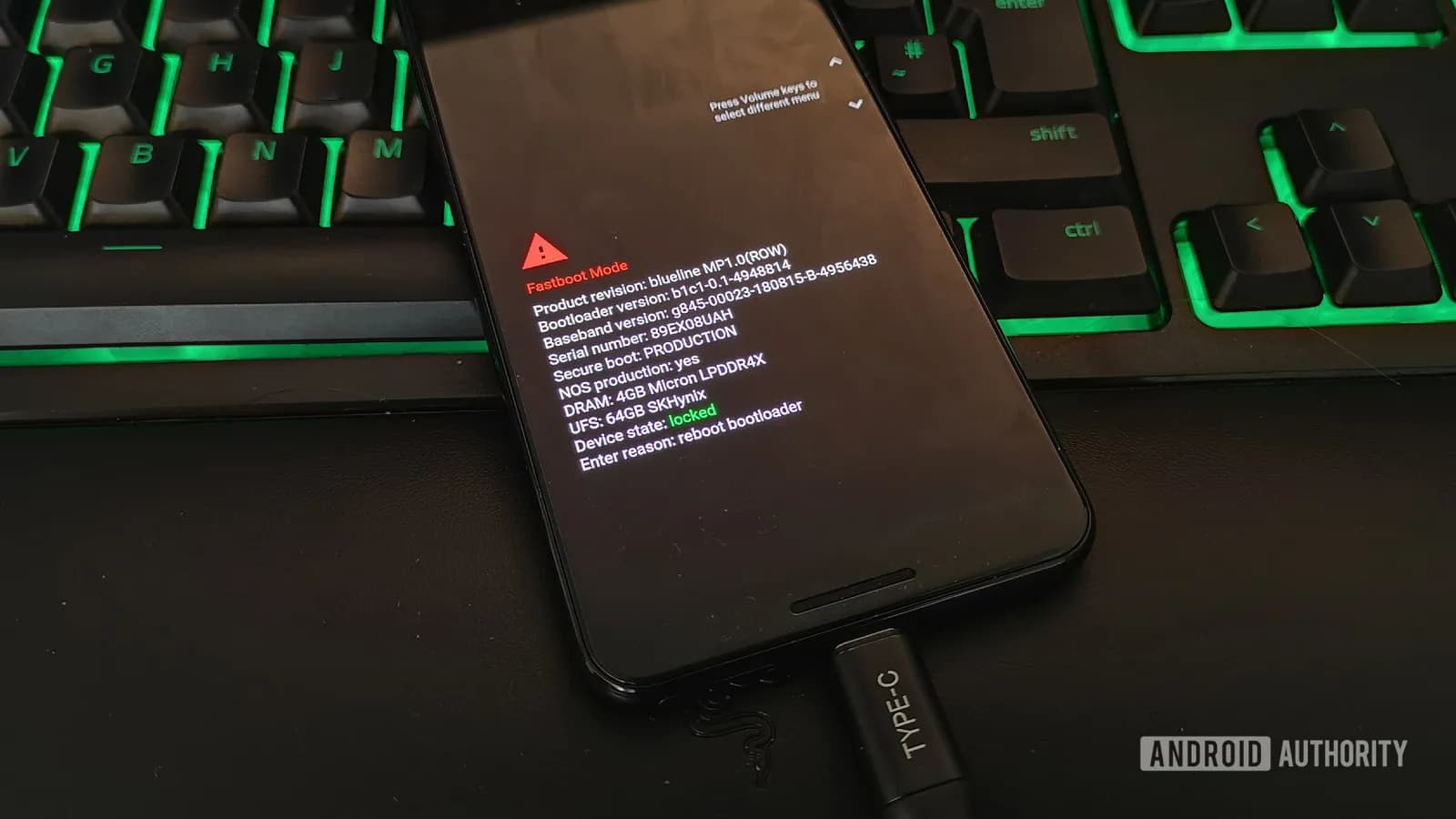
Android Flash Tool 係 AOSP 官方網頁刷機工具,用瀏覽器駁 USB 去刷 Android build。Google 文件寫明,佢支援 Pixel 2 或更新裝置,要用支援 WebUSB 嘅瀏覽器,例如 Chrome 或 Edge 79 以上。一般流程要先開 OEM unlocking 同 USB debugging;如果部機入唔到 Android,官方文件亦講可以試 Fastboot mode,但前提係電腦仍然認到部機。
呢個工具最要小心嘅位係清資料。官方流程入面可以揀 wipe device、force flashing all partitions 呢類選項;Google Developers 文件亦寫明,由 Developer Preview 或 beta 刷返公開 build 會完整重設裝置,清走所有用家資料。佢啱玩 beta、解鎖 bootloader、熟 ADB / Fastboot 嗰批;相、WhatsApp、Authenticator 冇備份嘅一般用家,唔好當佢係一粒無痛修復掣。
Pixel Repair Tool:一般更新失敗先睇呢個
另一個就係 Pixel Update and Software Repair Tool,入口喺 pixelrepair.withgoogle.com。官方頁寫明,呢個工具用嚟 update 或 reinstall Pixel 手機同平板嘅軟件,支援 Pixel 3 或更新、Android 10 或以上裝置,電腦亦要預留 7GB 可用空間。相比 Android Flash Tool,佢明顯偏向一般用家,重點係跟住網頁駁機、入 Fastboot / Rescue Mode,再由 Google 畀合適軟件。
Android Authority 指出,Pixel Repair Tool 同 Android Flash Tool 最大分別係冇得降級,亦冇得自己揀某個舊 build;佢主要係重新安裝現有版本或升級去較新版本。好處係門檻低過刷 factory image,而且可用喺 bootloader 鎖住嘅情況。不過官方工具入面仍然有 factory reset and reinstall 選項,畫面會提醒資料會清走,所以開工前一樣要當資料有風險。
點揀先啱:更新修復同刷機係兩回事
普通 Pixel 更新中途出事、系統怪怪哋、又唔想即刻清機,先試 Pixel Repair Tool 會合理啲;如果你本身玩 Android beta、要離開測試版、要刷指定 build,或者 Pixel Repair Tool 修唔返,先諗 Android Flash Tool。兩個都係官方工具,但定位好唔同:一個盡量幫你避開刷機細節,另一個直接處理 system image 同裝置狀態。
亦要講清楚,呢啲工具救唔到所有「變磚」。電池、儲存硬件、主機板、入水跌機,軟件工具幫唔到;USB 線唔穩、Windows driver 出事、bootloader 狀態唔啱,都會卡住流程。Google 官方工具勝在來源可信,同埋可以避開討論區來歷不明嘅刷機包。對 Pixel 來講,呢點實際過所謂一鍵救機。
水貨 Pixel 用家,最重要係事前準備
香港買 Pixel 多數靠水貨,唔代表部機唔值得買,但你要接受支援鏈短過正式入港嘅 iPhone、Samsung。買 Pixel 嘅人,尤其係貪快裝 beta 嗰批,最好而家就 bookmark 兩個工具頁、確保 Google 相簿同 WhatsApp 備份開好、Authenticator 有轉移方案,仲有預備一條可靠 USB-C 線。出事嗰刻先搵線、搵 driver、搵備份,通常已經太遲。
Google 如果想 Pixel 喺非官方市場少啲靠用家自己撞,下一步最好將 Pixel Repair Tool 支援範圍、資料保留條件、失敗後點處理寫得再清楚。對而家用緊 Pixel 嘅人,最務實係先備份,再按情況揀工具;更新失敗未必要即刻送修,但都唔好未睇清風險就亂刷。
延伸閱讀
參考來源
- Android Authority — Bookmark this now: These 2 Android sites could help you unbrick your Pixel — original report
- Flash with Android Flash Tool — Google 官方 AOSP 文件,確認 Android Flash Tool 支援裝置、WebUSB、USB debugging、OEM unlocking 同 Fastboot 流程。
- Google Pixel Update and Software Repair — Google 官方 Pixel 更新同軟件修復工具入口,確認支援 Pixel 3 或更新、Android 10 或以上同 7GB 電腦空間要求。
- Factory images for Google Pixel — Google Developers 文件,確認 beta / preview build 刷返公開 build 會完整重設並清走用家資料。
- Learn about devices & services available in your region — Google Store 支援頁,確認 Pixel 手機官方可買地區清單冇列出香港。
- Get your Pixel phone repaired — Google Pixel 支援頁,確認官方 mail-in 同 walk-in 維修地區清單,以及維修前備份同清資料提醒。
- More ways to repair your Pixel phones — Google 官方 blog,補充 Pixel Repair Mode、Pixel software update and repair site 同官方維修工具背景。
本文根據原文及公開資料整理;資料有出入時,以原文及官方資料為準。